
1Your teamYour goal
- Up to {seats} neighbors form a team: they help each other and restore the piazza together.
- Tap a building: each one is a part of your team's piazza, with its own ? to explain it.
- A red dot on a building: something you can still do there today.
- Leave a team and you can join another one after {leaveHours} hours.
2The Town Hall
- Each week your team restores one piece of its square: {pieces} pieces in all.
- Cards, Bricks from orders and helps all add points to this week's project.
- Reach {tierNames} together for prizes; the week's top 3 get a bonus too.
- The daily chest fills to {chestTarget} from everyone: helped today? Claim it.
3The Task BoardControls

- Take up to {cardsPerWeek} cards a week (+{extraCards} for {extraCardPearls}
 Pearls).
- Play as usual to fill a card's bar, then tap Finish to earn team points.
- Harder cards pay more. A crate card takes items from your board: tap Fill.
- Points fill your team's week, level and League race. They are never spent.
4Team points
- This week they fill the project: {tierPoints}.
- Give {minContribution}+ points yourself to share the project's prizes.
- For good: they raise your team's level (bigger chests, more helps and seats).
- League: the week's points race the league; the top {promote} move up.
5The Cafe

- A neighbor's timer: each Help cuts {helpCut}% off it (at least {helpMinMinutes} min).
- Ask for an item every {itemHours} h, up to level {itemMaxLevel}; team levels raise it.
- Send an item someone asked for: they thank you with {thanksCoins}
 Coins and points.
- Say hello with the preset phrases and the cast's stickers.
6The neighbors' houses

- Send {giftEnergy} Energy to up to {giftsPerDay} neighbors a day, +{giftsExtra} by video.
- Tap a neighbor to visit their hotel or send a postcard: +{postcardPoints} point each.
- The Sindaco and the Assessori welcome new neighbors and give the roles.
7The League towerProgress

- Each week your team's project points race {leagueSize} teams in a league.
- The top {promote} move up a division, the bottom {relegate} move down.
- Results and prizes arrive by themselves when the week ends.
- Island crews are the game's own teams: they keep every league lively.
8A neighbor's door

- Visit their hotel, or send a postcard: +{postcardPoints} team point for each of you.
- Everyone sees those two. The team's leaders see more buttons here: they run the team.
- Tap the i beside a button to see what it does. Hand over and remove ask you first.
- A neighbor away {inactiveFreeDays} days loses their seat: the team keeps room to play.
9The Sindaco (leader)
- Each team has one Sindaco, its mayor. Whoever starts a team is its first Sindaco.
- Only the Sindaco names up to {assessori} Assessori, takes roles back, removes Assessori.
- Hand over Sindaco: they lead and you become an Assessore. Only they can give it back.
- Sindaco away {sindacoAwayDays} days or gone? The most active Assessore or neighbor leads.
10Assessori (deputies)
- Assessori help the Sindaco: they accept or decline neighbors who ask to join.
- The Sindaco and Assessori can swap a Task Board card and ask a neighbor to move out.
- Nobody can remove the Sindaco. Only the Sindaco can remove an Assessore.
- Everyone else is a neighbor: they play, help and share the team's prizes.
11Joining a team
- Open teams take you at once. Others ask first: their Sindaco or an Assessore says yes.
- Start your own for {openCost} Coins: you become its Sindaco, the team's leader.
- Open: anyone joins. By request: leaders accept. Invite only: leaders invite you.
- Changing teams: after you leave one, you can join another after {leaveHours} hours.
Related
More board features

The Merge Board
Make what the guests at the top ask for, then tap Deliver.
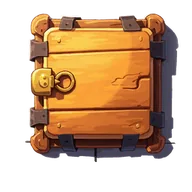
Locked hatches
Opening a hatch frees a cell, and some hide a Scissors or a Rainbow Shell.

Delivery crates
Up to 3 delivery crates land on your board each day.
Golden generator
Now and then a golden sparkle lands on a generator your orders need.